


Ceiling busway monitoring
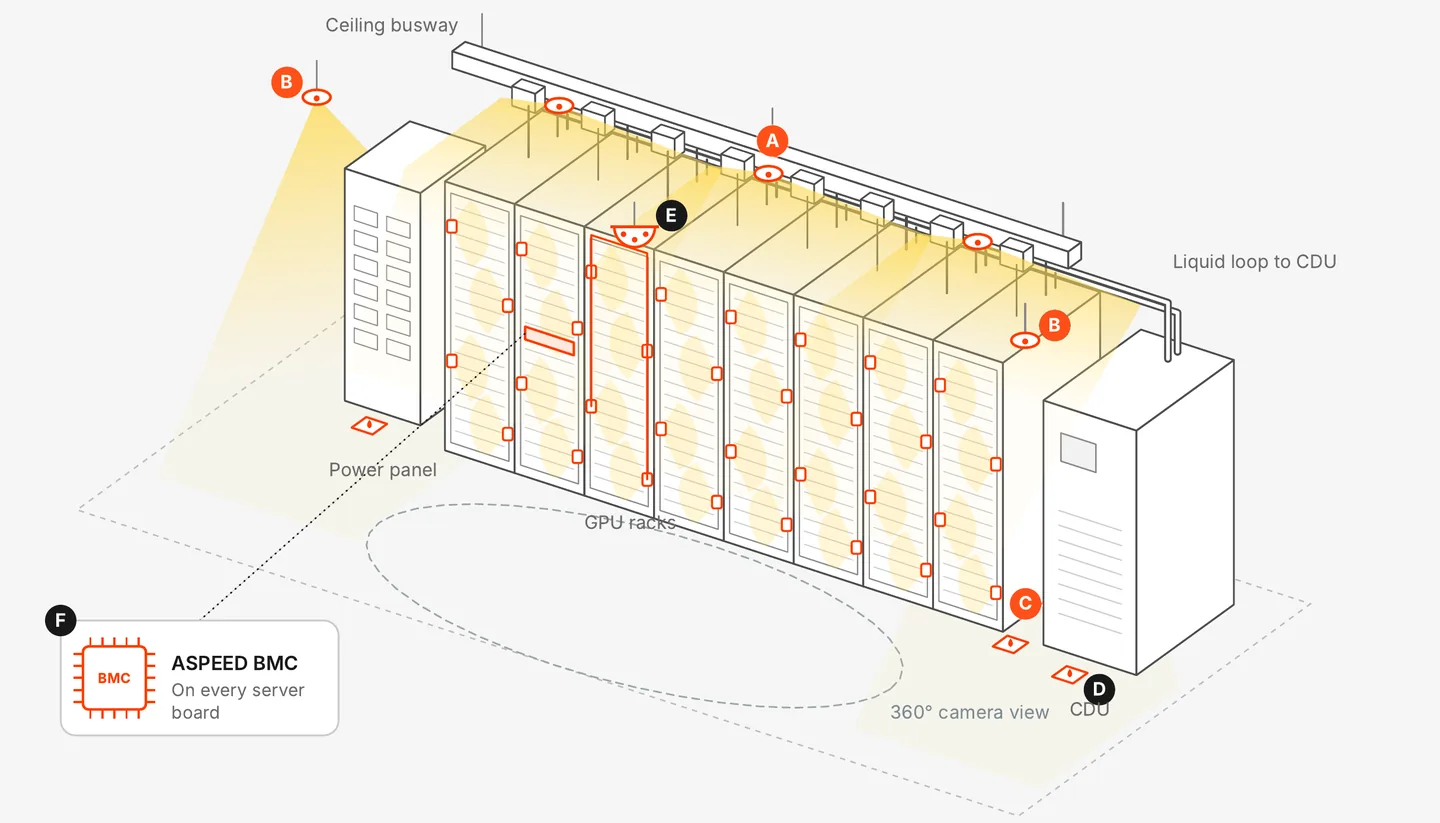
Continuous thermal monitoring of the busway, tap-off points and whips that feed every rack's PDUs and PSUs. One sensor covers around a dozen connections, pointed right at the hot spots.
Works on the busway you already have. No hall shutdown.
Busway is flexible. That's also where it fails.
The same design that lets you add and move racks quickly puts dozens of connections overhead, where nobody looks between scans.
Tap-offs get moved
Every rack change means a tap-off or whip is unplugged, moved or reseated. Each move is a chance for a connection to seat poorly.
Load swings, joints cycle
AI workloads ramp up and down. Joints heat, cool and loosen over time, and resistance climbs with them.
Out of sight, overhead
Tap-offs sit above the racks, often over containment. Checking one by hand takes a lift, a ladder and a scheduled window.
Built for every GPU generation
Back-of-rack designs change with every platform. The ceiling busway feeding them doesn't.
Hopper and Blackwell
Ceiling busway down to back-of-rack PDUs and PSUs. Wire-heavy designs that will ship in volume for years.
Vera Rubin
Two whips per busway and a cleaner back of rack. Fewer connections, each carrying more current.
Whatever sits in the rack, the busway above it is the same. Monitor it once and keep that coverage through every refresh.
One sensor, not dozens
Scans only see one day. Point sensors see one connection each, stitched to a gateway and labeled by hand. Butlr sees the whole run.
| Approach | Handheld infrared scan | Point sensors and a gateway | Butlr |
|---|---|---|---|
| How often | Once or twice a year | Continuous | Continuous |
| Coverage per device | Whatever the technician points at | One connection | Around a dozen tap-offs |
| At scale | Lifts, ladders, scheduled windows | Hundreds of devices to wire and label | A few wireless sensors per run |
| After a rack move | Unchecked until the next survey | Sensors moved and relabeled | The reseated tap-off shows up in the trend |
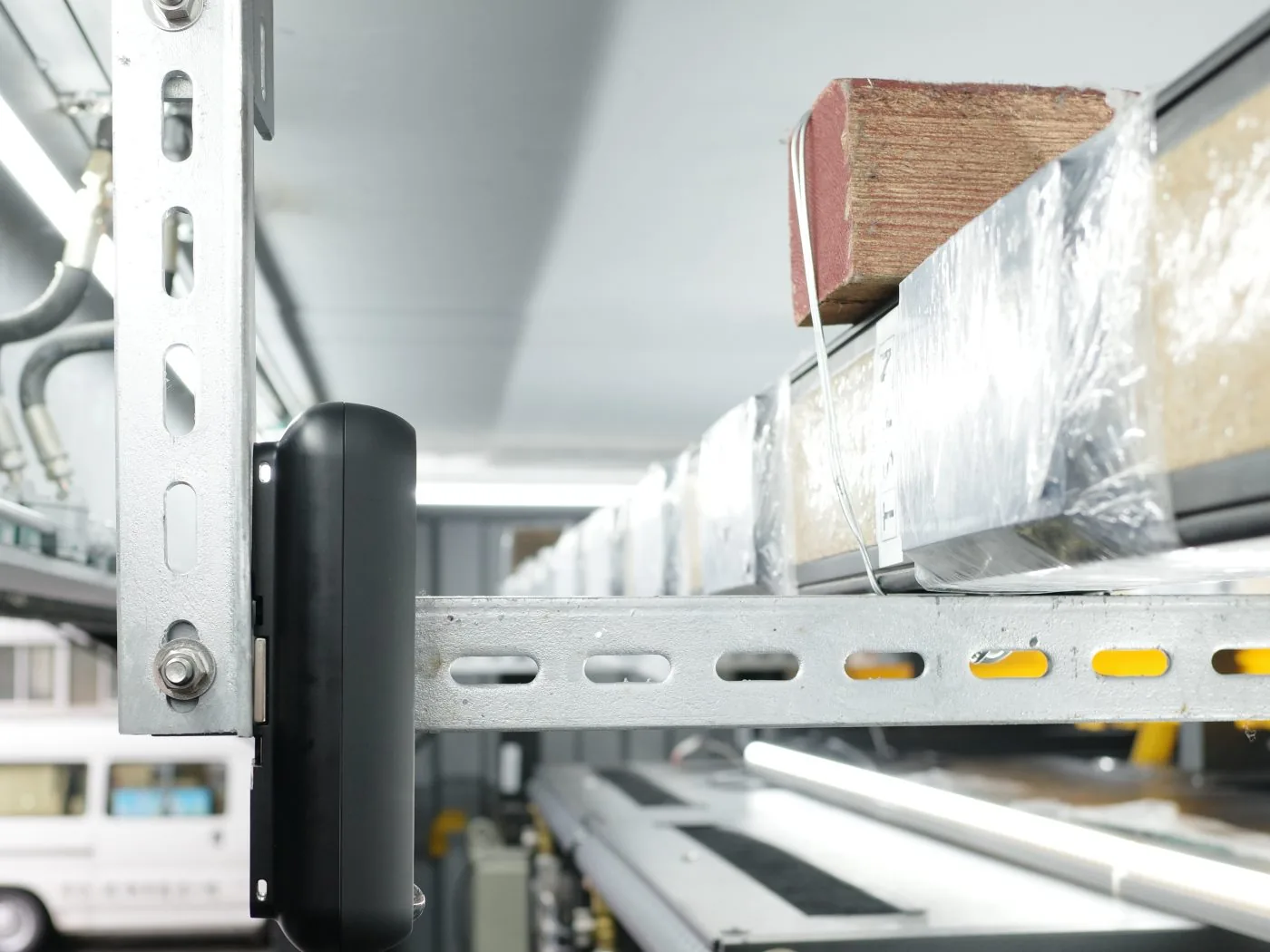
How it works
- 1
Point at what runs hot
A wireless thermal sensor mounts wherever it has a clear line of sight to the tap-offs and whips, overhead or alongside. Retrofit on the busway you already have, with no hall shutdown. - 2
Map each tap-off
Zones in the Butlr Platform match your tap-off IDs, so every reading ties back to a rack, a PDU and a circuit. No per-device labeling. - 3
Catch the slow climb
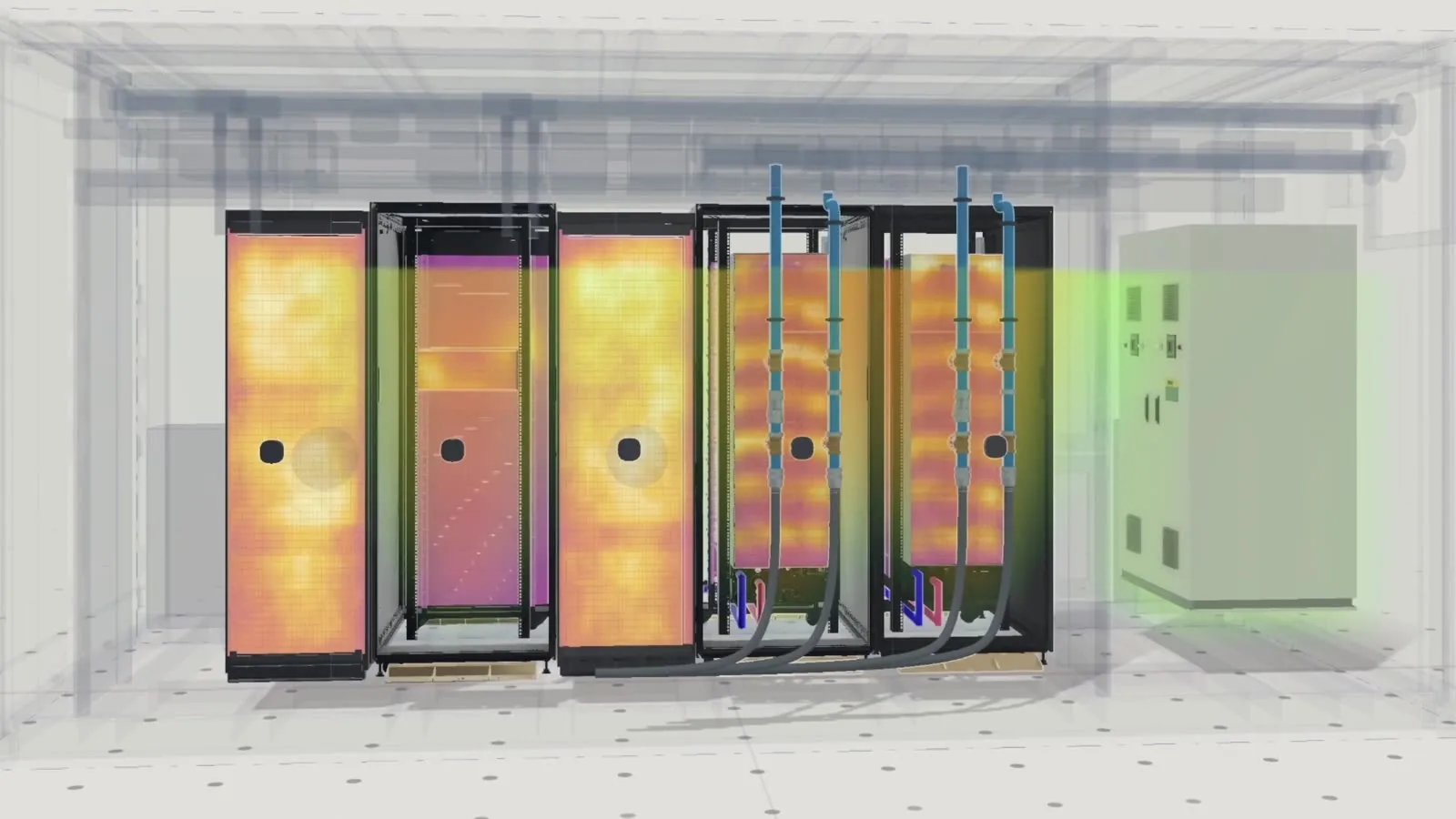
A tap-off running warmer than its neighbors, or warmer than it did last month, gets flagged before it fails.
Know which tap-off, and why
Alerts name the run, the tap-off and the rack it feeds, with the thermal trend attached. They route to the tools your team already uses.
Built with partners




Put eyes on the busway, without the ladder
We'll map coverage for your busway layout, new build or retrofit, and show you what an alert looks like.